Not just finance, hobbies too ....

Category: RPG

Role Playing games and my experience at them. generally this will be “paper” based games

3D printers are not ready for prime time

The news quite often mentions 3d Printers. 3D printer companies were the darlings of the stock market not too long ago. Mainstream press is full of little interest stories of the latest thing to be printed out. Technology websites and social networks have many mentions of the “Maker” movement and that movement includes 3D printing and printers.

I am somewhere in the “tech” scene or at least in a few smaller segments. You can tell that by a few things), but having the username “michael” on the an old school computer technology site (Anandtech) is a good sign of how long I have been involved. I have seen mentions of 3D printers for years and occasionally checked prices to buy a printer, but they were always well over $1,000 which seemed too much to me.

One day I noticed this campaign on Kickstarter:

https://www.kickstarter.com/projects/1679800548/dragonlocktm-28mm-scale-dungeon-gaming-terrain/

The Kickstarter ended a while ago, you can find the products for sale here:

http://www.drivethrurpg.com/product/166074/DRAGONLOCK-Dungeon-Starter-Set

For those of you too lazy to click the first link, it is plastic terrain used when playing a roleplaying game to build up a dungeon. If you are not familiar with tabletop roleplaying games like Dungeons and Dragons, the players often use 28mm scale miniatures to more easily run the fights that happen within the game rules. I guess you can say they are the
dolls the players use but the players tend to be men so they would at least claim action figures.

If the miniatures are the dolls, then products like Dragonlock are the dollhouses. I have played in a couple of games where the DM had very nice hand drawn maps that were drawn to scale and I have played in a couple of games with folding cardboard terrain, but I had only seen the full out plastic modeled dungeons in pictures from conventions. The existing products are interesting in theory but quite expensive and hard to use because you never seem to have exactly the right combination of pieces to build what you want. A set that is meant to be 3D printed solves those two problems. The cost per piece is small and you can custom print what you need.

I signed up for the Kickstarter and then started researching the current state of the 3D printer market. I quickly discovered two things. There were a fair number of printers below $1,000 today and that reviews on them were all over the map.

I will save myself typing a long description of the different printers out there. Here is a fairly representative list with examples from owners actually using the printers:

http://fatdragongames.proboards.com/board/24/3d-printers

I selected the Wanhao Duplicator I3 V2. I mainly selected it for two reasons. The first is the cost (it was under $300 for me) and the other was the strong user community that could be found in a Google Group. The brand was recommended to me by my friend Gabriel who runs a small drone business in Singapore called Sensory Robotics (www.sensoryrobotics.com ). I had asked him for an inexpensive printer that would meet the specifications needed and he said if I was willing to tinker the Wanhao printers were popular. I was able to find them direct from the manufacturer via Taobao in China for just under $300 shipping included (they are between $350 and $400 in the USA) so I decided to give them a try. The Wanhao I3 is basically a pre-built open source kit printer. It really is not much different in price than buying parts and assembling it yourself, and the design itself is somewhat well tested.

Before I pulled the trigger and bought the Wanhao, I looked through Amazon.com and read the message boards of many of the more popular printer brands. I was quite surprised at the results. For a product that had been sold to consumers for several years and had made it into popular press, reviews were surprisingly bad every printer brand out there.

I am not talking the occasional disappointed buyer on a crusade, I am talking about bad review after bad review. Even even the Printerbot Simple that is recommended by the Fat Dragon, the company that made the Dragonlock pieces, has quite a few bad reviews on Amazon and in the Dragonlock boards. Some printers appear to pretty much never work. Some printers use proprietary printing materials that are much more expensive than standard printing materials. All the printers I researched had very disappointed customers.

Why so much disappointment? Let me explain a little how 3D printers work and what easily goes wrong with each step.

The first is that all of the consumer level printers (under $1,000 and meant to be used at home) are made by smaller companies. The bigger companies that make printers for commercial use all have quite expensive models that are far out of reach of the average consumer. A cottage industry sprung up around some of the older technology that was open sourced by larger commercial companies, and lots of little start-up, mainly of pretty young entrepreneurs were created. Kickstarter still sees 3D printer designs show up on a semi regular basis and two years ago they were very popular on the crowdfunding sites. So that means lots of people with little or no real manufacturing experience started modifying designs or trying new but pretty much untested designs out on the public. Full of Open Source circuit boards and designs that sort of worked but that really were not close to optimal and often had serious flaws.

Before I get to some of the flaws of my particular printer, let me give an overview of the printers and what is done to make a 3D print.

The first thing you need is an actual object to print. This comes in the form of a computer aided design (CAD) file. Typically this is in an .STL format. You can find these files on various internet sites or you can create them yourselves. Many of the people making the files are new to CAD, are using free and not so powerful CAD programs, and probably do not have a lot of 3D printing experience. That means you get a lot of files that very honestly are not set up well to be printed in the first place.

You load the computer design into a program called a slicer. 3D printing is done layer by layer, and a slicer takes the CAD file and slices it into as many thin layers as you have instructed the printer to use. It then generates a series of commands that tells the printer what to do to actually print the device (generally in the form of a printer language called GCODE) and saves that file. A popular free slicer is called Cura. A more powerful but costly program is called Simplify 3D.

Right away, you may have ruined your print. The programs need to have the exact right settings or the code they write does not work. Some files are not well set up to print but an experienced user of the slicer can either change the orientation, break the object into smaller and easier to print. None of this is well documented and the documentation that does exist is written using terms that someone new to 3D printing is unlikely to understand. You even need to measure the diameter of the filament and input it into the slicer program. I hope you have a digital caliper.

Once you have the file ready to print, you then are faced with the printer itself. 3D printers work by melting plastic and depositing it in thin layers. The printer head (the part that melts and deposits the plastic) needs to move in all three dimensions in a consistent and controlled manner. The surface needs to be flat and level to the printhead and the starting distance between the print head and the surface needs to be small but not zero. The basic way of setting the distance is using a piece of paper to slide under the print head and go by feel.  If you are a beginner, you have no real idea what it is suppsoed to feel like.  The surface must have something to help the first few layers of plastic stick. The print head will move in at least two and maybe three dimensions on rods, gliding on bearings or moved by what essentially are large screws, The file with the instructions needs to be read from a memory card or the computer needs to maintain a good connection for what might be 24 hours or even more.

The rods I mentioned about are often held in place by just a little set screw. Shipping the printer has a good chance of working a rod loose or maybe even bending it. The electronics and cabling are so so on average and shipping may jostle a connection loose.

The standard advice for the printer I bought is to take the extruder assembly apart and replace the gear that moves the plastic filament through it with another one. While you are at it, rotate the heating block to give more clearance when it is at the top. Before you print one item, you have already taken the printer apart. I guess I should mention that the wiring in the older models is defective and can cause a fire. Plus it has been determined that the main circuit board does not properly ground the electricity running through it and it causes temperature readings to swing by about 10 degrees when the heater switches on and off. The suggested fix is to solder a wire from one place on the board to another.

I wish that these types of issues are only from a cheaper kit based one like the Wanhao I bought. However, I would be lying if I said that. I could not find one printer aimed at consumers that did not have a large number of design issues and frustrated users.

Now if you ask me if I like the printer I bought, the answer would be yes. Once I learned and worked through some things, I actually was able (very quickly) to print out the Dragonlock pieces with no issues at all and other files as well. A 3D printer is a fun thing to have and my kids like it and want me to print more things for them. However, these are not even close to being a consumer product. Be prepared to spend time scouring the internet for training tips, to be watching youtube videos showing you how to use your computer and software, and generally spending a lot of extra effort to make the device that you paid for work.

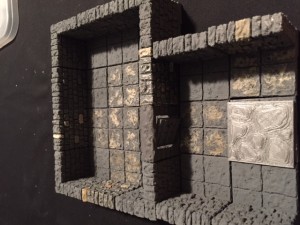
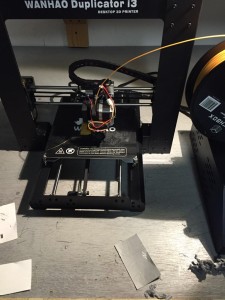
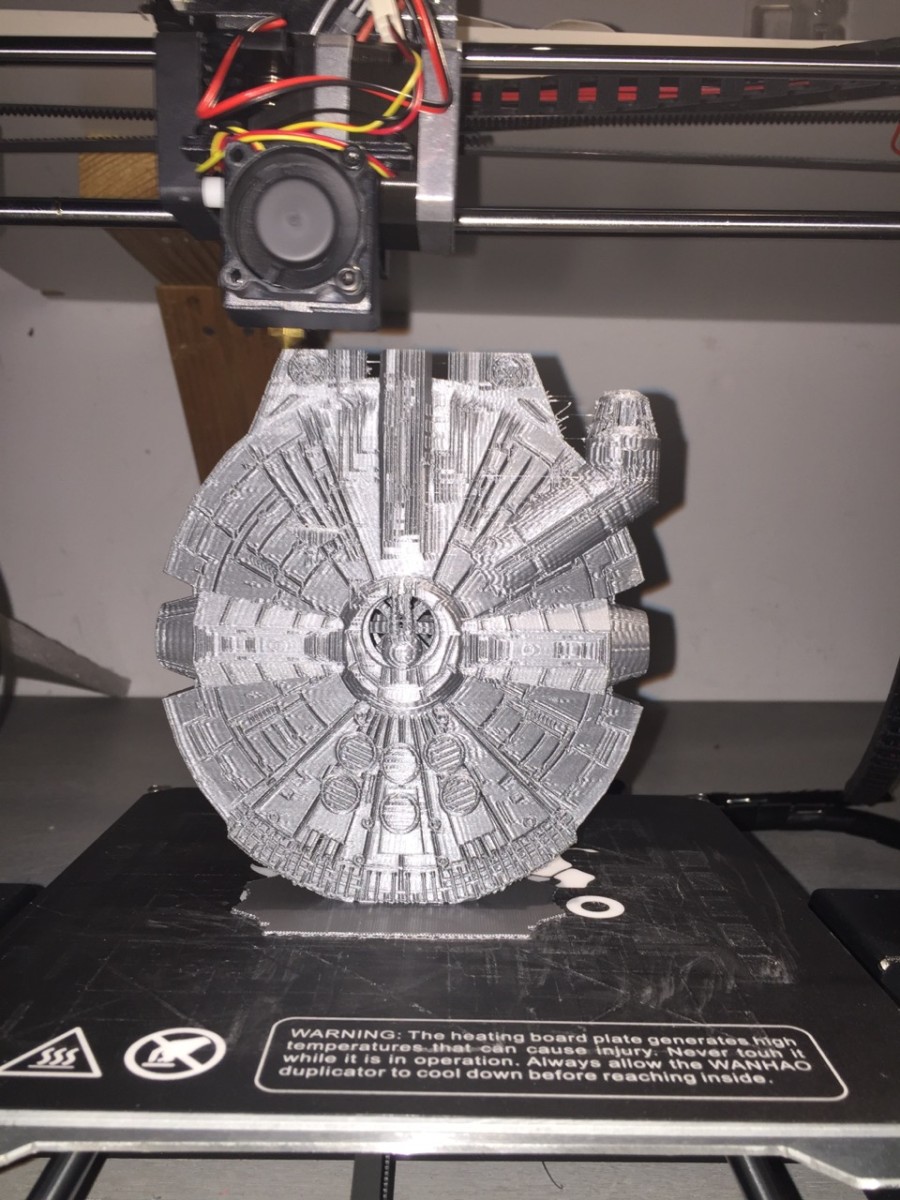
Here are a few pictures of what I have been able to do with my printer.  A well known space ship, some Dragonlock pieces (painted and unpainted) and the printer itself.
image image image

Playing Dungeons and Dragons again – online this time

I was a big war gamer when I was in my teens and when I was in college. Even when I started in the SCA I made time to play role playing games, driving down to the game that our group had every Sunday. I was even the president of the war games club in high school and CEGEP (community college in Quebec that is different than the USA in that it is required and part of the normal university track).

Other than the very first campaign I played in (my cousin Mark introduced me the his friends that were playing and I started with Advanced Dungeons & Dragons 1e), I almost always was the Dungeon Master. I played the classic modules, wrote my own modules and even made the trek to Lake Geneva to go to GenCon. I moved my group to Runequest and Champions, but we still played D&D every once and a while. The NJ gaming group also played D&D and I introduced Champions to them.

The influence of my very early days playing D&D still can be seen on my today as the first paladin I played was called Myrdin the Just (old Andre Norton book that had Myrddin in it and I thought two d’s was a waste and dropped one. Yes, I now know that it is for the th sound in Welsh and that character was Merlin but I did not know that then and Google did not exist). So if you know me in the SCA as Sir Myrdin the Just or online games as Myrdin Potter, you can still see the name that I used to play D&D when I was 13 or 14.

Once I left New Jersey for California and then onwards and outwards, I stopped playing D&D. The closest I got was Magic the Gathering and playing Eve Online. I bought the base rulebooks each edition as it came out and always hoped to find a gaming group, but there never seemed to be time. I still was in touch with my old college gaming group and that grew even stronger once we were all on Facebook. I had been tracking the different online tools to play D&D in the background and had bought the 5e books in the hope of getting a group together but it never seemed to work. My daughter Sarah had played 3.5e with classmates when she was in school in Connecticut and was game to join in but I had no other local friends that were interested and my time split between the USA and China made it difficult.

Then I saw a notice that Fantasy Grounds, one of the two main virtual tabletop programs had managed to get an official license to use 5e D&D. I had been looking a little more at Roll20 as an option as it is web-based, but having the official license and materials for 5e D&D swung me over to Fantasy Grounds (www.fantasygrounds.com and www.roll20.net ).

A few basic things to know for Fantasy Grounds:

1) Native Windows only. It works on Macs via WINE but a little more finicky
2) There is a potentially steep upfront cost. There is a free demo, but that only works for all the players if the game master buys the Ultimate License which is $150 (discounted sometimes) otherwise each player needs a full license which is $40 each or Steam has a 4 for the cost of 3 price. They have a subscription option as well and the ultimate license is $10 a month so you could try it for $10.
3) Other than a recent (and large) holiday sale, the official WoTC content is at list price and there are no discounts if you already own the physical books. The new open gaming license for 5e will make this a lot better as almost all will be included for free, but the modules will still cost the GM the list price. If you want the complete Players Handbook, then you need to buy it at list price.
4) It uses a client server approach so you often need to be able to forward ports for your router or use a VPN to allow players to connect if you happen to be in a hotel room. This is for the GM only and the game passes graphics over to the players so if you have limited bandwidth to upload it could go slowly.
5) The user interface is really bad. It works and as you learn it more and more it gets better but there is no real demo or user manual so be prepared to watch YouTube videos or join and learn from experienced players.
6) Windows are bounded by the master game window, so you are restricted to one screen. There is a way to sign on twice as the GM and as a player so you can have one screen display what the players see and another for your GM screen, but be prepared to always be moving things around to find what you need.

With all the caveats above, it really does a great job of allowing online play. A few other things to remember. It is a virtual table top program. Many things are automated but it does not have an AI built in. So the Adam is going to be moving tokens around and handling combat choices.

Here is what Fantasy Grounds does well:

1) Excellent character creation. With the PHB bought, you can drag and drop a lot of the content into your character sheet. It is not dynamic in that you cannot toggle things off and on and you need to pay attention the the bonuses ultimately set, but once the character sheet is set up properly it is very interactive
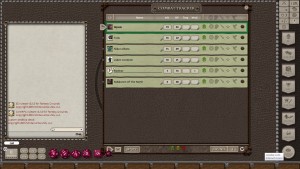
2) There is a combat tracker sheet that is very useful for running encounters. It tracks hit points and the dice rolling is smart enough that if you target a creature it will calculate if the creature is hit or not and even does critical damage for you. Initiatives are automatically calculated.
3) Spell effects are well handled and again pretty much drag and drop. There is no graphical effect (no fireball exploding) on the screen but the combat tracker is updated with the correct effect that automatically apply. For example, if a character is Blessed, then attack rolls include the additional d4 automatically
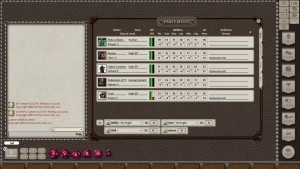
4) There is a party sheet that handles treasure and XP awards quite easily
5) The WoTC modules that you can buy all have player and DM maps. The player maps have “fog of war” via a mask mode which lets you slowly reveal (manually) what the players explore.
6) The pre-made modules I bought all have nicely hyperlinked pins in each room and within the actual text for the modules. Text that is in a box which traditionally to be read out loud can also easily be clicked and appear in the chat window
7) The chat window allows you to type in the different game languages. Characters that can read that language see it in English while everyone else sees it in the language script. You can also type private messages to players

Fantasy Grounds does not come with a voice or video option. You need to use a third party application for that. You could just type everything into the chat window, but that is much less interesting than using voice. I do not find that video is needed but some people find it makes a huge difference.

The basic choices are Skype or Google Hangouts which support multiple video and audio chats, Teamspeak, Ventrillo, and Mumble for audio only (you could even do a conference call into a free conference call system). I decided to use Teamspeak as I could run a free server that supported up to 32 people on my NAS (most of the NAS systems out there that have a decent processor and run Linux can run Teamspeak. Not easy but not super hard to set up). There is a Fantasy Grounds Teamspeak server that many players use as well in case you do not want to set something up yourself. There is a Windows and Mac version of the server if you want to do that. Fantasy Grounds is not terribly intensive to run on your computer, but you might as well put the Teamspeak server on a different computer if you can.

I was able to round up 5 players for my new campaign. Three were from my original gaming group when I grew up in Montreal. One I had met in California via Magic the Gathering. Plus my daughter. I paid for the Ultimate license (was on sale) to minimize the out of pocket spending by the others, but all but my daughter ended up buying the full license anyways. I am planning on running one of the more advanced campaigns that Wizards has released (all have been converted to Fantasy Grounds format). For the very first adventure, I decided to go with the Lost Mine of Phandelver. This is the adventure that comes with the introductory rules and I thought it was best because I have not ran a game in decades and most of my players were pretty rusty as well without 5e experience.

We went through a pretty steep learning curve. I tried to connect with everyone before we played our first session so they could roll up their characters and the process was very slow. Took quite a while to figure out how to enter the scores we rolled properly into the attribute box and we did not realize that the character sheets were not fully dynamic so if you changed races you needed to double check the ability scores as it does not seem to cleanly add and remove ability score modifiers once the first one has been applied. Otherwise the process is very drag and drop from the Player’s Handbook. Drag and drop your race, chosen class, background, equipment etc. and the character sheet is populated. The character sheet calculates all the modifiers from your ability scores and displays it in an easy manner. The final result is automatically used by the program in combat or when saving throws or other checks are being made.

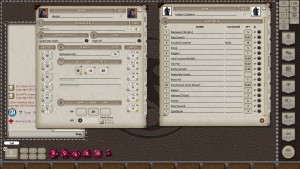
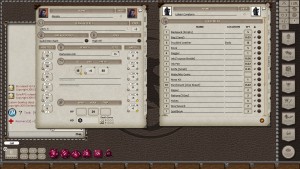
I have included some screenshots of Fantasy Grounds to give a flavor of what it looks like, but to be honest once we started to understand more and more how it worked, the mechanics of it faded into the background and gaming took over. Other than the occasional reminder to target before attacking and the need to retread spells and check rules occasionally, it is what it is supposed to be, a table top. Tokens replace miniatures but otherwise the game plays very much like pencil and paper role playing does.

With Teamspeak and the table top set, we have been gaming. That means creating new stories and laughing and worrying together. Spectacular bad luck in rolling fumbles and near party death situations to the players pulling off a cunning plan and mowing down the monsters like grass with the players a turbo charged lawn mower. Lost Mines is a classic style adventure with a fleshed out town with an immediate threat plus rumors and adventure hooks. You can have multiple rooms in Teamspeak so I can either use the chat window in Fantasy Grounds or grab the player and drag into a new room when I need to to to only them.

So now I am DMing again and playing with friends I rarely get to see in person. My daughter is getting to play in an experienced group. Distance playing actually removes barriers of age and sex that sometimes crop up in live games. So even easier to play in a group. And now she is part of the stories my friends can tell. Like the rogue (really want to say thief but they changed the name for 5e) starting that gaming session twice in a row with a fumble resulting in him tumbling through a door and falling flat on his face in front of the enemy. The over confident Fighter playing on a big screen in front of his kids, managing to get himself surrounded and cut-off by bugbears and almost killed while the Ranger rolls so many 1’s in a row to confound all sense of probability.

We even have the fun of the Cleric who just happens to be a PhD in Chemistry quickly sourcing a picture of the particular flask mentioned in the adventure so we can all see what it would look like (and correcting my pronunciation at the same time). The 5e rules even added many of the house rules that became popular during AD&D to make up for the fact that low level Wizards get so few spells and are so weak in combat that they do not have so much to do. Not that the extra cantrips and such make a difference as our Wizard likes to fire his whole arsenal at the first Kobold that shows up which makes the boss fights much harder. To be fair, I am just teasing a little because it actually has worked out fine as killing the early encounters quickly means many less alarms were sounded. It just is another example of how seamless the experience has been, normal teasing and joking comes naturally.

Overall, I would say that it has been a success. My gaming group is up and running again and we get about 3 hours of gaming in every week. We are getting better and better at using the software which automates some of the game mechanics, but enough detail is shown on the screen such that we can follow the flow of what happens which either reminds us of the rules or teaches us the rules. Which is the last point that I will bring up, Fantasy Ground does not teach you how to play D&D. There is no tutorial built in for D&D. You need to learn the same was as someone playing with pencil and paper – read the rules and hopefully find experienced players. Fantasy Grounds helps in two ways. The first is that it automates a lot of the dice rolls and spell resolutions. The second is that the community forums do give you a chance to find game master who is looking for players or where you can list yourself as new and looking to learn how to play and hopefully someone will contact you. A lot easier than asking around in your high school like I had to ages ago. It is even easier and less expensive to play because WoTC just made the 5e an OGL product so Fantasy Grounds released a new version with most of the content you had to pay for before for free as part of the two paid licenses.

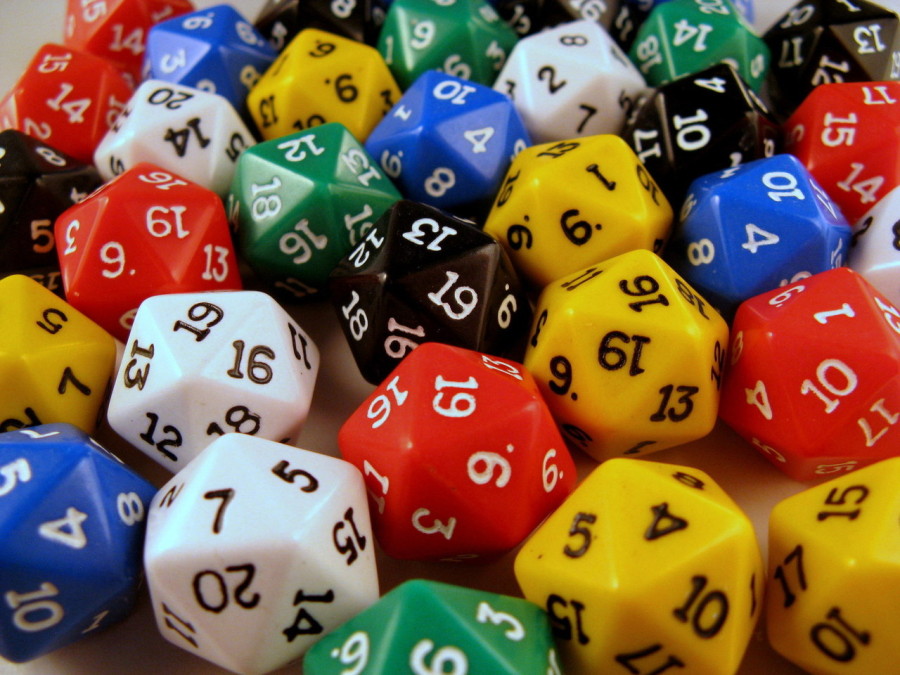
I will also make a comment on the 5e rules. This is a little dangerous because D&D has what are often called “edition” wars and the biggest of these was the move from 3 (and 3.5) to 4. WoTC had decided to make an open gaming license for 3e (and 3.5e which essentially was a tweak and fix on some issues with the original 3e rules). There was a pretty big change from 1e (which I learned) and 2e to 3e. For example, the whole way that armor class is determined changed (AC is how hard something is to hit). In the AD&D I learned, -10 was the best AC you could have and 10 was the worst and there were tables that told you the number you needed to roll on a d20 (20 sided die) and that was simplified into a concept of To Hit AC 0 or THAC0. 3e did away with that and instead the higher the AC was, the harder it was to hit with no maximum. AC became the raw number, before any modifiers, you needed to roll on a d20. The move from 1e to 3e also changed the focus from killing monsters to a more story and character based approach. Finally WoTC (owned by Hasbro, btw) also introduced an Open Gaming License which allowed outsiders to freely use the 3e rules.

The short summary of the edition wars which went from older gamers grumping at newer gamers about how much better the old style games were to a complete fracturing of the market as 3e then 3.5e and the 4e which did not have an open license. A company called Paizo created a 3.5e “clone” called Pathfinder and that game actually surpassed D&D in market share and mind share for almost 7 years. It was another version of D&D but not being released by WoTC (or TSR who WoTC bought and which was the original D&D owner). These edition wars were raging right when Warcraft Online and similar games were setting the standards for the industry and pencil and paper games were fading in relevance. I missed the full brunt of the edition wars because I was not playing D&D at that time, but it was all over the gaming websites I kept up with. The edition wars really fractured the marketplace and made it much harder to find a gaming group to play in. Plus gamers can get really, really attached to the rules they favor and refuse to play anything else.

I would say I am more of an “old school” D&D player because of how I started. After a while DMing 5e, I can say that I like it a lot so far. I had not liked all the sub rules which referred to sub rules for 3.5e because it just looked like an arms race where the goal was to find the best rules to sprinkle into your character. 5e has a fair amount of customization of the different character classes, but at least that is well contained so far. Wizards of the Coast just released an updated open gaming license for 5e so I expect that other VTT can provide much better support than they have been previously.

I will do more posts over time on both Fantasy Grounds and D&D, but I think this is enough for now. If you are hankering to relive your old RPG days, the newer online tools let you do what was impossible not too long ago. Look for posts on my long time foray into online roleplaying via Eve Online and discussions on Runequest and Champions.

Update – The friendly developers at Fantasy Grounds say that their 30 day trial membership is the best way to try out their program and that the recent release of the 5e rules as an Open License has allowed them to add even more functionality without the need to buy the source materials (I still recommend the Players Handbook).  I have been using PureVPN with a dedicated ip option to GM from hotel rooms.

Character sheet – views of a few of the tabs

character sheet - main and equipment character sheet - main and equipment

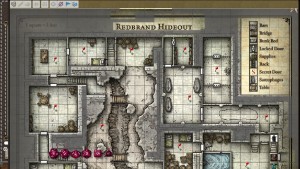
Combat tracker and example map

combat tracker Map Example

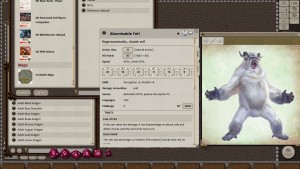
Example monster from the monster manual and party sheet

MM example - Abominable Yeti party sheet

If you are looking for the new rule books, here they are:

Player’s Handbook (Dungeons & Dragons)

Dungeon Master’s Guide (D&D Core Rulebook)

Monster Manual (D&D Core Rulebook)

Page 2 of 2

Powered by WordPress & Theme by Anders Norén